
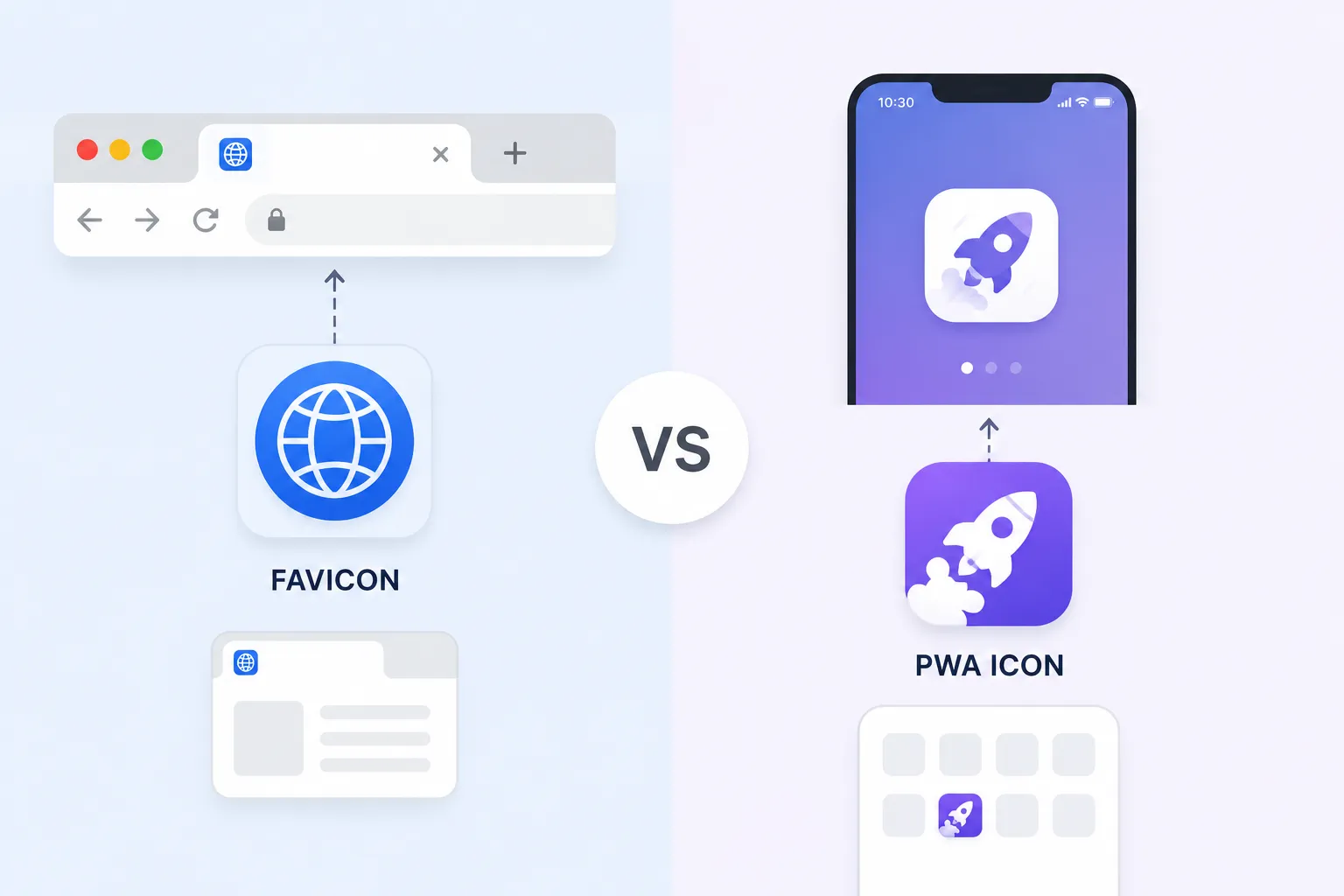
What Are Favicons & Why They Matter in 2025
Favicons (favorite icons) are small icons that appear in browser tabs, bookmarks, history, and address bars. They're a crucial part of your website's branding and user experience. In 2025, with the rise of Progressive Web Apps (PWAs), icons have become even more important for mobile home screens and app-like experiences.
📊 Why Favicons & PWA Icons Matter
Where Favicons Appear
- Browser Tabs - Next to page title in every tab
- Bookmarks & Favorites - Helps users find saved sites quickly
- Browser History - Makes browsing history scannable
- Address Bar - Shows next to your domain name
- Mobile Home Screen - For PWAs added to home screen
- Taskbar/Dock - When pinning sites in browsers
- Search Results - Google sometimes displays favicons
Complete Favicon Size Guide for 2025
Modern browsers and devices require multiple favicon sizes for optimal display. Here's the complete list:
| Size | Purpose | Filename | Required |
|---|---|---|---|
| 16x16 | Browser tabs, address bar | favicon-16x16.png | ✅ Yes |
| 32x32 | Browser tabs, taskbar | favicon-32x32.png | ✅ Yes |
| 48x48 | Legacy browsers | favicon-48x48.png | ⚠️ Recommended |
| 64x64 | High-DPI displays | favicon-64x64.png | ⚠️ Recommended |
| 96x96 | Google TV, Chrome Web Store | favicon-96x96.png | ⚠️ Optional |
| 128x128 | Chrome Web Store | favicon-128x128.png | ⚠️ Optional |
| 256x256 | High-DPI, Opera Speed Dial | favicon-256x256.png | ⚠️ Optional |
💡 Pro Tip
Always create a favicon.ico file containing multiple sizes (16x16, 32x32, 48x48) for maximum backward compatibility with older browsers like IE.
PWA Icon Sizes & Requirements (2025)
Progressive Web Apps require specific icon sizes for the web app manifest. These icons appear on the user's home screen when they install your PWA.
| Size | Purpose | Filename | Required |
|---|---|---|---|
| 72x72 | Android Chrome (low DPI) | icon-72x72.png | ✅ Yes |
| 96x96 | Android Chrome | icon-96x96.png | ✅ Yes |
| 128x128 | Chrome Web Store | icon-128x128.png | ⚠️ Recommended |
| 144x144 | Android Chrome (medium DPI) | icon-144x144.png | ✅ Yes |
| 152x152 | Windows | icon-152x152.png | ⚠️ Recommended |
| 192x192 | Android Chrome (high DPI) | icon-192x192.png | ✅ Yes |
| 256x256 | High-DPI displays | icon-256x256.png | ⚠️ Recommended |
| 384x384 | High-DPI displays | icon-384x384.png | ⚠️ Optional |
| 512x512 | Splash screens, high-DPI | icon-512x512.png | ✅ Yes |
📱 PWA Icon Requirements
- • Icons must be square (width = height)
- • Use PNG format with transparent backgrounds
- • At minimum, provide 192x192 and 512x512 icons
- • Icons should have good contrast on light/dark backgrounds
- • Include a maskable icon for adaptive icons on Android
Apple Touch Icons Guide
Apple devices use "touch icons" when users add your website to their home screen. Different devices require different sizes.
🍎 Apple Touch Icon Sizes
- 60x60 - iPhone (non-retina)
- 120x120 - iPhone Retina (@2x)
- 180x180 - iPhone 6 Plus, 7 Plus, 8 Plus, X, 11, 12, 13, 14, 15 (@3x)
- 76x76 - iPad (non-retina)
- 152x152 - iPad Retina (@2x)
- 167x167 - iPad Pro (@2x)
📱 iOS Splash Screen Icons
- 40x40 - iPhone Spotlight
- 58x58 - iPhone Settings
- 80x80 - iPhone Spotlight (@2x)
- 87x87 - iPhone Settings (@3x)
- 20x20 - iPad Notification
- 29x29 - iPad Settings
💡 Apple Touch Icon Best Practices
Apple automatically adds rounded corners and a glossy effect to icons unless you add -apple-touch-icon-precomposed to the link attribute.
Microsoft Tile Icons for Windows
Windows 8/10/11 and Microsoft Edge use custom tile icons when users pin your site to the Start menu.
| Size | Purpose | Filename |
|---|---|---|
| 70x70 | Small tile | mstile-70x70.png |
| 150x150 | Medium tile | mstile-150x150.png |
| 310x310 | Large tile | mstile-310x310.png |
| 310x150 | Wide tile | mstile-310x150.png |
How to Implement Favicons & PWA Icons
Here's the complete HTML code needed to implement all icons properly:
<!-- Standard Favicon -->
<link rel="icon" type="image/png" sizes="16x16" href="/favicon-16x16.png">
<link rel="icon" type="image/png" sizes="32x32" href="/favicon-32x32.png">
<link rel="icon" type="image/png" sizes="48x48" href="/favicon-48x48.png">
<link rel="icon" type="image/x-icon" href="/favicon.ico">

<!-- Apple Touch Icons -->
<link rel="apple-touch-icon" sizes="57x57" href="/apple-touch-icon-57x57.png">
<link rel="apple-touch-icon" sizes="60x60" href="/apple-touch-icon-60x60.png">
<link rel="apple-touch-icon" sizes="72x72" href="/apple-touch-icon-72x72.png">
<link rel="apple-touch-icon" sizes="76x76" href="/apple-touch-icon-76x76.png">
<link rel="apple-touch-icon" sizes="114x114" href="/apple-touch-icon-114x114.png">
<link rel="apple-touch-icon" sizes="120x120" href="/apple-touch-icon-120x120.png">
<link rel="apple-touch-icon" sizes="144x144" href="/apple-touch-icon-144x144.png">
<link rel="apple-touch-icon" sizes="152x152" href="/apple-touch-icon-152x152.png">
<link rel="apple-touch-icon" sizes="167x167" href="/apple-touch-icon-167x167.png">
<link rel="apple-touch-icon" sizes="180x180" href="/apple-touch-icon-180x180.png">

<!-- Microsoft Tile Icons -->
<meta name="msapplication-TileColor" content="#2d89ef">
<meta name="msapplication-TileImage" content="/mstile-144x144.png">
<meta name="msapplication-config" content="/browserconfig.xml">

<!-- PWA Web App Manifest -->
<link rel="manifest" href="/site.webmanifest/">
<meta name="theme-color" content="#ffffff">
<meta name="apple-mobile-web-app-capable" content="yes">
<meta name="apple-mobile-web-app-status-bar-style" content="black-translucent">
<meta name="apple-mobile-web-app-title" content="Your App Name">

<!-- Chrome/Firefox/Edge -->
<link rel="mask-icon" href="/safari-pinned-tab.svg" color="#5bbad5">
<meta name="msapplication-TileColor" content="#da532c">
<meta name="theme-color" content="#ffffff">
Sample site.webmanifest file:
{
  "name": "Your App Name",
  "short_name": "App",
  "icons": [
    {
      "src": "/android-chrome-192x192.png",
      "sizes": "192x192",
      "type": "image/png",
      "purpose": "any maskable"
    },
    {
      "src": "/android-chrome-512x512.png",
      "sizes": "512x512",
      "type": "image/png",
      "purpose": "any maskable"
    }
  ],
  "theme_color": "#ffffff",
  "background_color": "#ffffff",
  "display": "standalone",
  "start_url": "/"
}
Best Practices for Web Icons
✅ Do's
- Use a simple, recognizable design
- Test icons on light and dark backgrounds
- Provide all required sizes for full compatibility
- Use PNG format with transparency
- Keep file sizes small (<100KB each)
- Use a 1024x1024 master icon for generating all sizes
- Include maskable icons for Android adaptive icons
❌ Don'ts
- Don't use complex text or detailed logos
- Don't use JPG format (no transparency)
- Don't skip icon sizes thinking they're optional
- Don't use transparent backgrounds on light icons
- Don't forget to update manifest.json when changing icons
- Don't use different branding across icon sizes
Common Mistakes to Avoid
- ❌ Only providing one size - Different devices need different sizes for optimal display
- ❌ Using wrong file formats - Always use PNG for favicons and web icons
- ❌ Forgetting the manifest.json - Required for PWA installation on Android
- ❌ Not testing on actual devices - Emulators don't always show real results
- ❌ Ignoring dark mode - Ensure icons are visible on both light and dark backgrounds
- ❌ Huge file sizes - Large icon files slow down page load
Frequently Asked Questions
At minimum, provide 16x16, 32x32, and 48x48 PNGs plus a multi-size favicon.ico file. For PWA, minimum 192x192 and 512x512.
Use our App Icon Generator! Upload one 1024x1024 master image and it automatically generates all required sizes for web, iOS, Android, and Windows.
Maskable icons are Android adaptive icons that can be shaped into circles, squiggles, or squares by the device. Add purpose: "any maskable" to your manifest.json for these icons.
While not directly affecting SEO, proper favicons improve user experience, trust, and brand recognition - all indirect SEO factors.
Use browser dev tools, favicon checker websites, and test on real devices. Clear browser cache frequently during testing.
Ready to Generate Your Web Icons?
Upload one master image and generate all favicon and PWA icon sizes instantly.
🎨 Generate All Icons Now →

